
Download Stellar Phoenix Windows Data Recovery – data recovery, file recovery, Windows data recovery, recover deleted files, recover lost files, recover files from USB, recover files from hard drive, recover files from memory card, recover photos, recover videos, recover documents
Overview
Stellar Phoenix Windows Data Recovery is a specialized utility designed to restore lost or accidentally deleted files from various storage devices connected to Windows systems. The software targets users who have experienced data loss due to deletion, formatting, corruption, or hardware failure. Its primary purpose is to recover critical information such as photos, videos, documents, and other essential files from hard drives, USB drives, memory cards, digital cameras, and other portable storage media. The application is particularly useful for individuals and professionals who rely heavily on digital data and cannot afford to lose important files.
Target users include home users, small business owners, photographers, students, and IT professionals seeking a reliable solution for data retrieval. The developer, Stellar Information Technology Pvt. Ltd., is known in the data recovery space for producing robust, technically sound software tools. While specific details about the company’s broader product portfolio were not provided, the software’s focus on accuracy and compatibility suggests a commitment to technical excellence.
Real-world use cases include recovering photos after accidental deletion from a memory card, retrieving documents lost due to drive formatting, or restoring video files from a corrupted USB drive. In the broader app ecosystem, Stellar Phoenix fills a vital niche as a dedicated recovery tool—especially in a market where data integrity is increasingly critical. Its presence underscores the ongoing need for reliable, accessible utilities that empower users to regain control over their digital assets.
Key Features & Functionality
- Wide Compatibility Across Devices – The software supports recovery from a broad range of storage devices, including internal and external hard drives, USB flash drives, SD cards, memory cards, digital cameras, and other portable media. This ensures users can retrieve files regardless of the source, making it ideal for multi-device environments.
- Two Scanning Modes: Normal and Advanced – The normal scan quickly identifies easily recoverable files, suitable for minor data loss events. The advanced scan performs a deeper analysis of the storage device, increasing the chances of recovering files that were overwritten or located in fragmented areas.
- User-Friendly Interface – The interface is designed with simplicity in mind, allowing users to navigate through recovery workflows without technical expertise. Options to view files by type, folder structure, or apply filters streamline the search process and reduce time spent locating specific data.
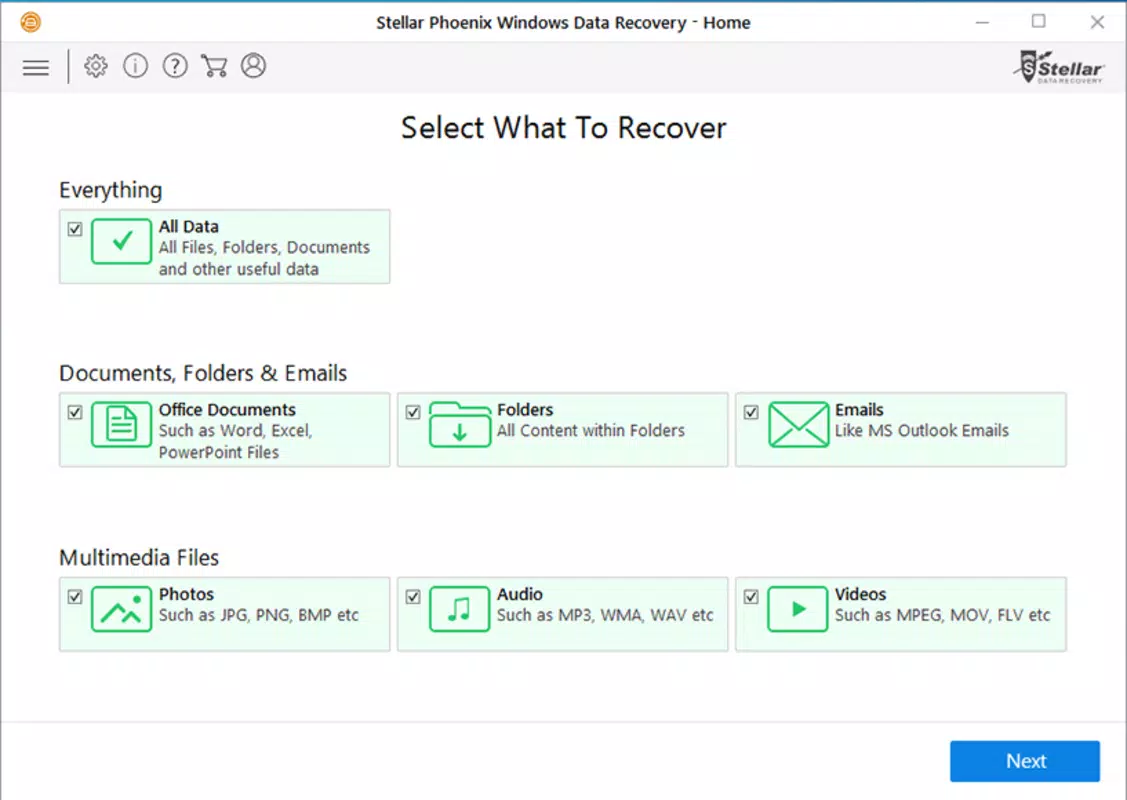
- Comprehensive File Recovery Support – The tool can recover a wide variety of file types, including JPEG, PNG, MP4, AVI, DOC, DOCX, PDF, and more. This broad support ensures that users can restore multimedia content, work documents, and other common file formats.
- Preventive Guidance and Best Practices – While not a preventive tool per se, the software includes recommendations to avoid future data loss, such as advising users to back up important files regularly. This educational component enhances user awareness and promotes long-term data safety.
For example, a photographer who accidentally deletes images from a memory card can use the advanced scan mode to recover them even after the card was reformatted. Similarly, a student recovering a research paper from a corrupted USB drive can use the file type filter to locate only document files, improving efficiency.
Interface, UX & Performance
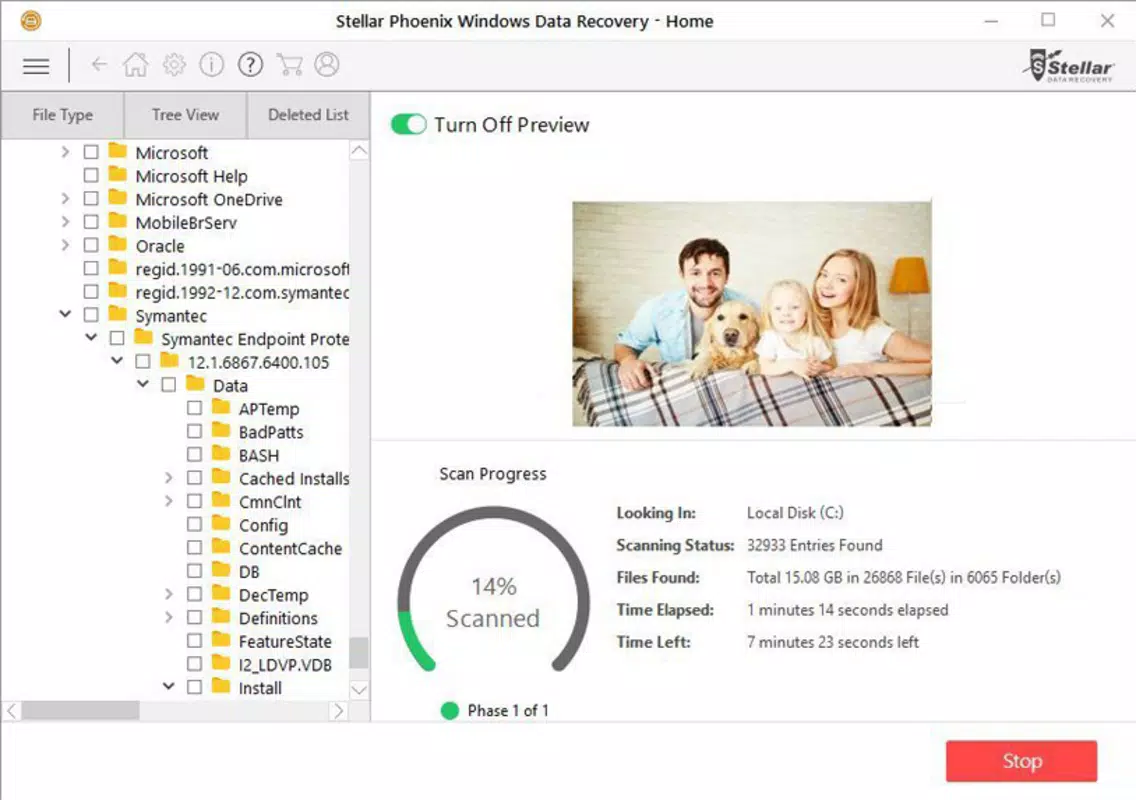
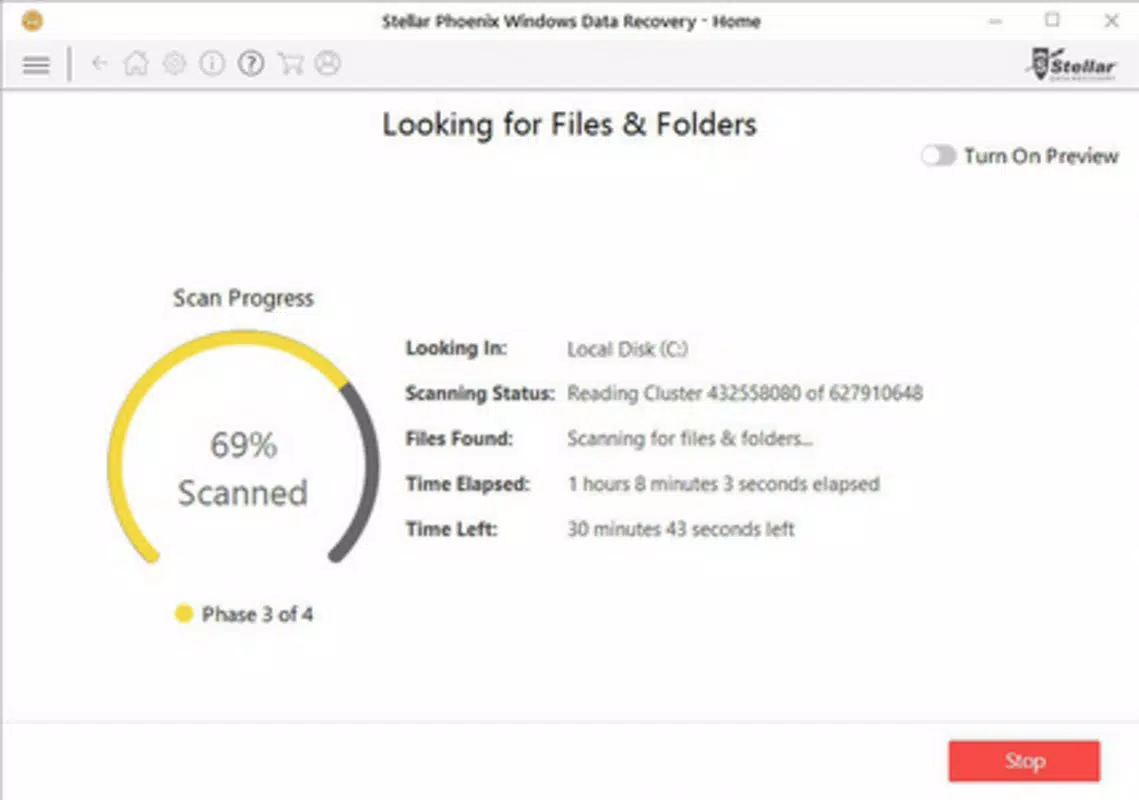
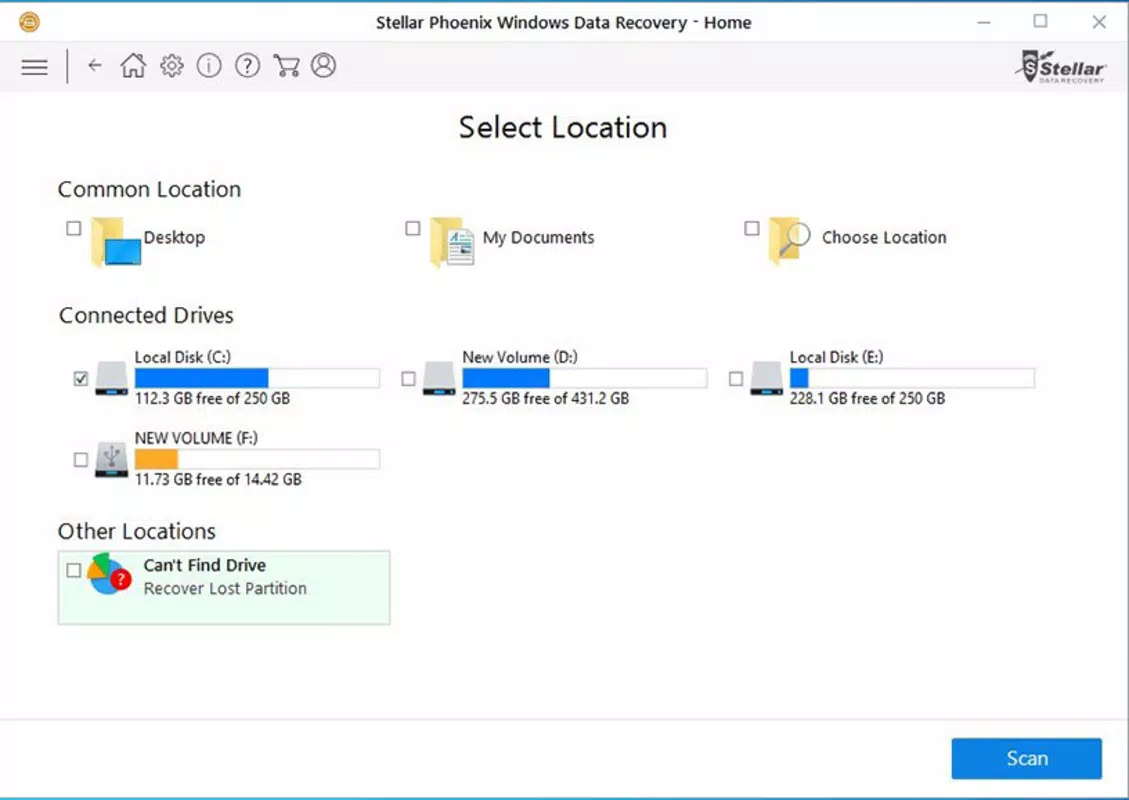
The user interface of Stellar Phoenix Windows Data Recovery is clean, organized, and designed with usability in mind. Navigation is intuitive, guiding users through a step-by-step recovery process that includes selecting the target drive, choosing a scan mode, previewing recoverable files, and initiating the recovery. The layout emphasizes clarity, with clearly labeled buttons, progress indicators, and a preview pane for file inspection.
Visual design leans toward functionality rather than flashy graphics, which is appropriate for a utility-focused application. Menus are logically structured, and users can customize how files are displayed—by type, name, or date modified—enhancing search efficiency. The software responds promptly to user inputs, and the scanning process is stable, with minimal risk of crashes during operation.
Although the developer did not list formal performance metrics, the software maintains consistent responsiveness across different device categories, including older and newer Windows systems. It operates efficiently without excessive resource consumption, allowing users to continue other tasks while recovery runs in the background. Stability is maintained during extended scans, and the interface remains accessible throughout the process.
Platform Compatibility & Technical Requirements
Stellar Phoenix Windows Data Recovery is designed exclusively for the Windows platform. It is compatible with various versions of Windows, though specific OS requirements were not listed. The software has a file size of 136.5 MB, which is relatively compact for a data recovery tool with advanced features.
Users should ensure their system meets the minimum specifications required by the software, but detailed technical requirements were not disclosed by the developer. The application is intended for installation on desktop and laptop systems, not mobile devices. It does not support Android or iOS platforms, as it is a desktop utility.
Pros and Cons
Pros
- Supports recovery from multiple storage devices including USB drives, memory cards, and hard drives
- Offers both normal and advanced scanning modes for flexible recovery options
- Intuitive interface suitable for non-technical users
- Wide range of supported file types including photos, videos, and documents
- Stable performance with minimal system resource usage
Cons
- Price point of $49.95 may be high for casual users
- Developer did not provide detailed system requirements
- Not available on mobile platforms (Android or iOS)
- Recovery success depends on data overwriting and device condition
- Requires manual backup strategy for long-term data protection
FAQ
Is Stellar Phoenix Windows Data Recovery safe to use?
Yes, the software is designed to be safe and non-destructive. It reads data from storage devices without altering the original content, ensuring that the recovery process does not cause further data loss.
Can I recover files from a formatted drive?
Yes, the advanced scan mode is specifically designed to recover files from formatted drives, provided the data has not been overwritten by new information.
Does the software work on all versions of Windows?
While the application is built for Windows, specific compatibility details with different OS versions were not disclosed by the developer.
How often should I update the software?
It is recommended to install updates when available to ensure compatibility with new storage devices and to benefit from performance improvements and security patches.
Can I recover files from a physically damaged drive?
Stellar Phoenix Windows Data Recovery is designed for logical data recovery. It may not be effective on drives with physical damage, such as mechanical failure or severe corrosion.
Final Thoughts
Stellar Phoenix Windows Data Recovery stands out as a dependable and feature-rich solution for users facing data loss. Its dual scanning modes, broad device compatibility, and user-friendly interface make it accessible to both novice and experienced users. The ability to recover a wide variety of file types—from photos and videos to critical documents—adds significant value, especially in high-stakes scenarios like lost research, personal memories, or business data.
While the price may be a consideration for some, the software’s reliability and effectiveness justify the investment for users who prioritize data integrity. It is particularly beneficial for photographers, students, and professionals handling sensitive or irreplaceable information. The tool does not replace the need for regular backups, but it serves as a crucial safety net when backups are unavailable.
Download Stellar Phoenix Windows Data Recovery now


